> ## Documentation Index
> Fetch the complete documentation index at: https://docs.sim.dune.com/llms.txt
> Use this file to discover all available pages before exploring further.
# Developer Quickstart
> Take your first steps with the Sim APIs
 Sim is a real-time blockchain data API by [Dune](https://dune.com). It gives developers instant access to wallet balances, token metadata, transaction history, and onchain activity across 60+ EVM chains and Solana — all through a single API key, with no indexer setup required. With [webhook subscriptions](/evm/subscriptions), you can also push data directly to your app in real time.
This guide will help you make your first API call to retrieve multichain token balances for an address.
## Authentication
Sim APIs use API keys to authenticate requests.
You can create and manage your API keys in your [Sim Dashboard](https://sim.dune.com/).
Sim is a real-time blockchain data API by [Dune](https://dune.com). It gives developers instant access to wallet balances, token metadata, transaction history, and onchain activity across 60+ EVM chains and Solana — all through a single API key, with no indexer setup required. With [webhook subscriptions](/evm/subscriptions), you can also push data directly to your app in real time.
This guide will help you make your first API call to retrieve multichain token balances for an address.
## Authentication
Sim APIs use API keys to authenticate requests.
You can create and manage your API keys in your [Sim Dashboard](https://sim.dune.com/).
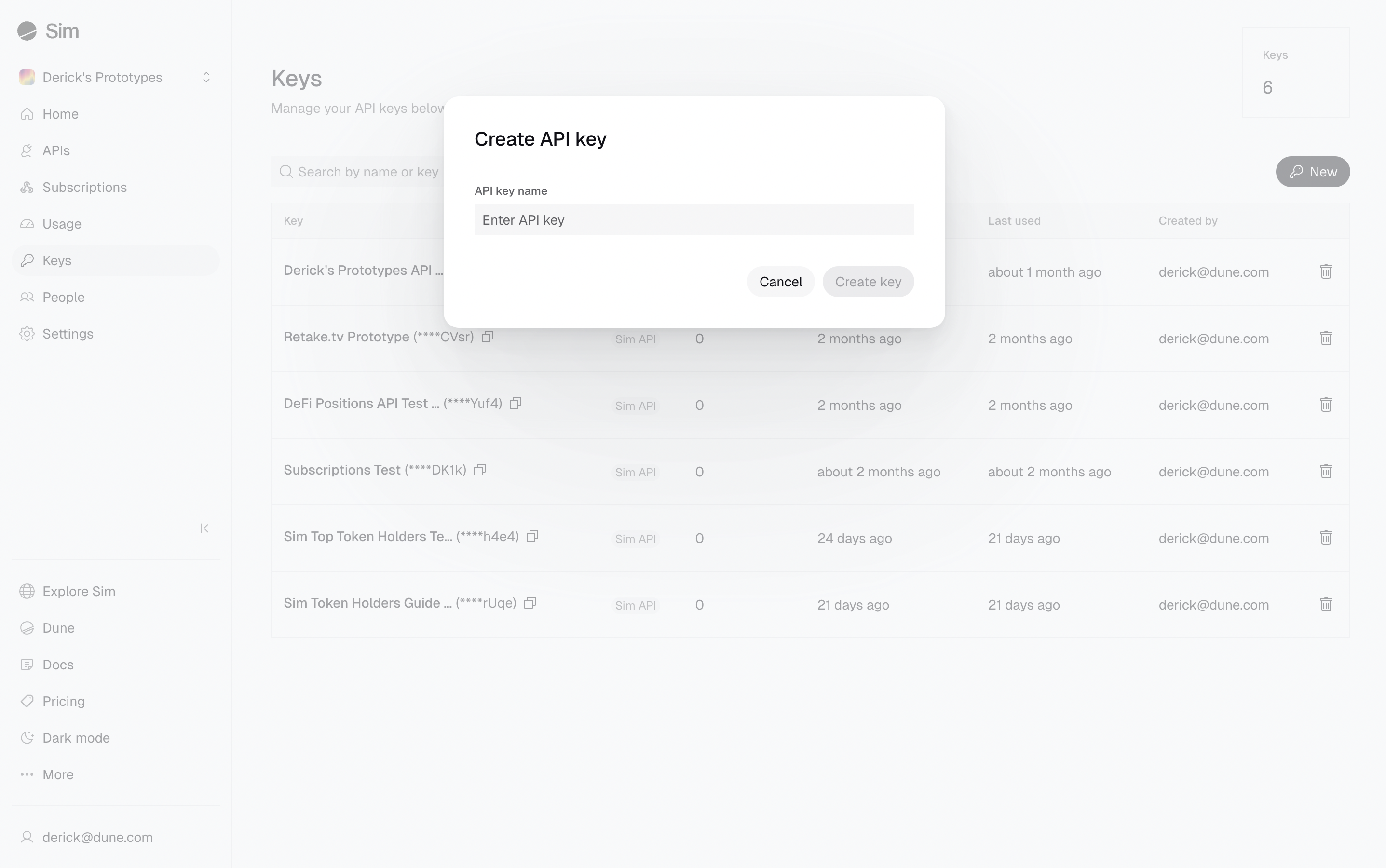 To authenticate, include your API key in the `X-Sim-Api-Key` header for every request.
```bash theme={null}
curl --request GET \
--header "X-Sim-Api-Key: YOUR_API_KEY"
```
All API requests must be made over HTTPS.
Calls made over plain HTTP will fail.
API requests without authentication will also fail.
Your API keys carry many privileges, so be sure to keep them secure.
Do not share your secret API keys in public places like GitHub, client-side code, and so on.
## Your First Request
Let's make your first request. We'll retrieve token balances for `0xd8da6bf26964af9d7eed9e03e53415d37aa96045` (Vitalik's wallet) across multiple EVM chains using the [Balances API](/evm/balances).
Here's how to make the API call:
```bash cURL theme={null}
curl -X GET "https://api.sim.dune.com/v1/evm/balances/0xd8da6bf26964af9d7eed9e03e53415d37aa96045" \
-H "X-Sim-Api-Key: YOUR_API_KEY"
```
```javascript JavaScript theme={null}
const options = {method: 'GET', headers: {'X-Sim-Api-Key': 'YOUR_API_KEY'}};
fetch('https://api.sim.dune.com/v1/evm/balances/0xd8da6bf26964af9d7eed9e03e53415d37aa96045', options)
.then(response => response.json())
.then(response => console.log(response))
.catch(err => console.error(err));
```
```python Python theme={null}
import requests
url = "https://api.sim.dune.com/v1/evm/balances/0xd8da6bf26964af9d7eed9e03e53415d37aa96045"
headers = {"X-Sim-Api-Key": "YOUR_API_KEY"}
response = requests.request("GET", url, headers=headers)
print(response.text)
```
Replace `YOUR_API_KEY` with your actual API key from the Sim Dashboard.
The API will return a JSON response containing an array of `balances`.
Each object in the array represents a token balance for the specified address on one of the chains, including various details.
```json Response (JSON) [expandable] theme={null}
{
"balances": [
{
"address": "native",
"amount": "605371497350928252303",
"chain": "ethereum",
"decimals": 18,
"price_usd": 3042.816964922323,
"symbol": "ETH",
"value_usd": 1842034.6622198338
}
],
"next_offset": "dKMBWDLqM7vlyn5OMEXsLWp0nI4AAAABA5JLazNO7x4poVGqUwsgxgqvvIg",
"request_time": "2023-11-07T05:31:56Z",
"response_time": "2023-11-07T05:31:56Z",
"wallet_address": "0xd8da6bf26964af9d7eed9e03e53415d37aa96045"
}
```
With a single API request you get normalized, realtime data with enriched metadata and pricing.
## Next Steps
After making your first API call to Sim APIs, you'll either see the JSON response shown above (success!) or you might encounter an error. If you received an error, check out our [Error Handling Guide](/error-handling) for troubleshooting tips and best practices.
If your call was successful, you've seen how easily you can retrieve comprehensive, multichain data. But this is just the beginning of what's possible.
Are you ready to learn more?
Here are a few paths you can explore:
Set up webhook subscriptions to receive instant notifications for balance changes, activity, and transactions — no polling required.
Access balances, activity, transactions, NFTs, and more across 60+ Ethereum and EVM-compatible chains.
Get real-time balances and transactions on Solana and Eclipse.
Follow our practical guides to build fully-functional features like token portfolio displays, real-time activity feeds, and more for your onchain apps.
Speed up your development using Sim APIs with our LLM-friendly resources.
To authenticate, include your API key in the `X-Sim-Api-Key` header for every request.
```bash theme={null}
curl --request GET \
--header "X-Sim-Api-Key: YOUR_API_KEY"
```
All API requests must be made over HTTPS.
Calls made over plain HTTP will fail.
API requests without authentication will also fail.
Your API keys carry many privileges, so be sure to keep them secure.
Do not share your secret API keys in public places like GitHub, client-side code, and so on.
## Your First Request
Let's make your first request. We'll retrieve token balances for `0xd8da6bf26964af9d7eed9e03e53415d37aa96045` (Vitalik's wallet) across multiple EVM chains using the [Balances API](/evm/balances).
Here's how to make the API call:
```bash cURL theme={null}
curl -X GET "https://api.sim.dune.com/v1/evm/balances/0xd8da6bf26964af9d7eed9e03e53415d37aa96045" \
-H "X-Sim-Api-Key: YOUR_API_KEY"
```
```javascript JavaScript theme={null}
const options = {method: 'GET', headers: {'X-Sim-Api-Key': 'YOUR_API_KEY'}};
fetch('https://api.sim.dune.com/v1/evm/balances/0xd8da6bf26964af9d7eed9e03e53415d37aa96045', options)
.then(response => response.json())
.then(response => console.log(response))
.catch(err => console.error(err));
```
```python Python theme={null}
import requests
url = "https://api.sim.dune.com/v1/evm/balances/0xd8da6bf26964af9d7eed9e03e53415d37aa96045"
headers = {"X-Sim-Api-Key": "YOUR_API_KEY"}
response = requests.request("GET", url, headers=headers)
print(response.text)
```
Replace `YOUR_API_KEY` with your actual API key from the Sim Dashboard.
The API will return a JSON response containing an array of `balances`.
Each object in the array represents a token balance for the specified address on one of the chains, including various details.
```json Response (JSON) [expandable] theme={null}
{
"balances": [
{
"address": "native",
"amount": "605371497350928252303",
"chain": "ethereum",
"decimals": 18,
"price_usd": 3042.816964922323,
"symbol": "ETH",
"value_usd": 1842034.6622198338
}
],
"next_offset": "dKMBWDLqM7vlyn5OMEXsLWp0nI4AAAABA5JLazNO7x4poVGqUwsgxgqvvIg",
"request_time": "2023-11-07T05:31:56Z",
"response_time": "2023-11-07T05:31:56Z",
"wallet_address": "0xd8da6bf26964af9d7eed9e03e53415d37aa96045"
}
```
With a single API request you get normalized, realtime data with enriched metadata and pricing.
## Next Steps
After making your first API call to Sim APIs, you'll either see the JSON response shown above (success!) or you might encounter an error. If you received an error, check out our [Error Handling Guide](/error-handling) for troubleshooting tips and best practices.
If your call was successful, you've seen how easily you can retrieve comprehensive, multichain data. But this is just the beginning of what's possible.
Are you ready to learn more?
Here are a few paths you can explore:
Set up webhook subscriptions to receive instant notifications for balance changes, activity, and transactions — no polling required.
Access balances, activity, transactions, NFTs, and more across 60+ Ethereum and EVM-compatible chains.
Get real-time balances and transactions on Solana and Eclipse.
Follow our practical guides to build fully-functional features like token portfolio displays, real-time activity feeds, and more for your onchain apps.
Speed up your development using Sim APIs with our LLM-friendly resources.